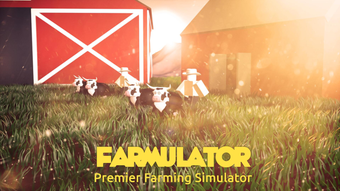

Farmulator: Free Roblox Utility Tool
The software is a free desktop utility designed for Roblox players, intended to enhance gameplay through automation and efficiency features. It is categorized under Utilities and is specifically developed for use within the Roblox ecosystem. The primary purpose of Farmulator is to assist users in optimizing repetitive tasks such as farming in Roblox games, potentially reducing manual input and time investment.
It is targeted toward casual and intermediate Roblox players seeking tools to streamline gameplay experiences. The developer, Farmulator™, has positioned the software as a lightweight solution with minimal system impact, though no technical specifications were provided. Real-world usage scenarios include automated farming in popular Roblox titles, where users may benefit from consistent task execution.
The software is available exclusively in English and does not require a paid subscription. Its release date was August 2, 2022, and it remains accessible through third-party platforms. The developer did not provide additional details about its development background or future update plans.
Key Features & Capabilities
- Gameplay Automation – Designed to assist with repetitive in-game actions, such as harvesting crops or collecting resources, potentially allowing users to maintain progress without constant manual input.
- Roblox Integration – Built specifically for use with Roblox games, enabling interaction with game environments through a dedicated desktop interface.
- Lightweight Design – With a file size of 4.4 MB, the software is compact and likely intended for quick installation and minimal system resource usage.
- Free Access – Available at no cost, making it accessible to a broad audience of Roblox players without financial barriers.
- English Language Support – The software is fully functional in English, with no indication of multilingual support.
These features are intended to support users in maintaining consistent progress in Roblox games that involve farming mechanics. For example, players can use the tool to automate the collection of in-game currency or items, reducing the need for continuous monitoring. The lightweight nature suggests it may run efficiently on older systems, though no performance benchmarks were provided.
The tool does not appear to include advanced customization options, focusing instead on core automation functions. Its utility is limited to Roblox-specific tasks, and no additional game support is mentioned. The software’s functionality is based on interaction with Roblox’s client environment, though the exact method of integration remains unspecified.
User Interface, Workflow & Performance
The user interface of Farmulator is not described in detail, but based on its categorization as a utility and its file size, it likely features a minimalistic design focused on core functionality. Navigation is expected to be straightforward, with essential controls accessible through a simple layout. The workflow appears to center around launching the tool, connecting it to a Roblox session, and enabling automation features.
Users may need to manually trigger certain actions or configure settings before the tool begins operation. The developer did not specify resource usage details, so CPU or RAM behavior remains unknown. Performance observations are based on general software behavior patterns.
The software is expected to run in the background while Roblox is active, but stability and long-term reliability have not been verified. No crash reports or error logs were provided. The absence of a formal update history or version control beyond version 0 suggests limited ongoing development.
Users should be cautious about potential compatibility issues with future Roblox updates, as the tool may not be regularly maintained.
Compatibility & System Requirements
Farmulator is compatible with Windows and Mac operating systems, as stated in the provided information. The software version is listed as 0, and the installation size is 4.4 MB. No specific hardware requirements were provided, and the developer did not specify minimum CPU, RAM, or graphics capabilities.
Exact system requirements were not listed. Compatibility information was partially provided, leaving users without clarity on whether the software works on older or low-end machines. The lack of detailed specifications may limit users’ ability to assess suitability for their devices.
The software is available only in English, which may affect accessibility for non-English speakers. No official compatibility testing with specific Roblox game versions was mentioned. Users should be aware that third-party tools may not be officially supported by Roblox, which could lead to account risks or game restrictions.
Pros and Cons
Pros
- Free to use with no cost barrier
- Compact size of 4.4 MB, suitable for low-storage environments
- Designed specifically for Roblox gameplay automation
- Available for both Windows and Mac users
- Simple interface likely reduces learning curve
Cons
- No official system requirements provided
- Version 0 suggests early or unstable development stage
- Compatibility with future Roblox updates is uncertain
- No information on update frequency or developer support
- Potential risk of account suspension due to third-party tool usage
FAQ Section
Is Farmulator compatible with all Roblox games?
The software is designed for use with Roblox games that involve repetitive tasks, but it may not function with all titles. Compatibility depends on the game’s anti-cheat systems and how the tool interacts with the client.
Is Farmulator safe to use?
Using third-party tools with Roblox carries inherent risks. The developer did not provide security certifications or safety guarantees. Users should be aware that such tools may violate Roblox’s terms of service.
How often is Farmulator updated?
There is no public update history available. The current version is listed as 0, which may indicate limited or no active development.
Can I use Farmulator offline?
Yes, the software does not require an internet connection to operate once installed. However, it must be used in conjunction with an active Roblox session.
What operating systems does Farmulator support?
Farmulator is compatible with Windows and Mac systems. No other platforms are supported based on the available information.
Final Thoughts + CTA
Farmulator presents a lightweight, free utility tailored for Roblox players seeking automation in farming-based games. Its minimal footprint and focus on core functionality make it accessible to users with limited system resources. However, the lack of detailed system requirements, uncertain update history, and potential risks tied to Roblox’s terms of service are notable concerns.
While the tool may offer convenience for specific gameplay scenarios, users should proceed with caution. The absence of official support and development transparency limits long-term reliability. For those willing to accept the risks, Farmulator offers a no-cost entry point into gameplay automation.
Its simplicity and availability on both Windows and Mac make it a viable option for casual users. Download Farmulator now.







